


Search engine optimisation (SEO) is not something most business owners have trained in. That is fair enough, as plenty of people do it for a living.
Knowing the basics still helps. It means you can make better decisions about your website, ask the right questions and tell sound SEO advice from poor advice.
Whether you handle SEO yourself or work with an SEO provider, these are the elements worth understanding.
Helpful content comes first
Google says its aim is to show pages that are genuinely helpful to the person searching. For a small business, that means pages that clearly answer what customers want to know.
Each main service should have its own page. Explain what it involves, who it suits, the areas you cover and how to get in touch. Answer the questions customers ask you on the phone. Write in plain language, and only make claims you can back up.
Thin pages, copied text and lots of near-identical pages aimed at slightly different keywords don’t help. Google is good at spotting them, and they can drag down how your whole site is seen.
Page titles and meta descriptions
The page title is the clickable headline in search results. It should describe the page, include the main term people search for (such as “Bathroom Renovations Perth”) and usually your business name.
The meta description is the short text under the title. Google doesn’t always use it, but a clear description can encourage more people to click. Each page should have its own.
Most WordPress SEO plugins let you edit both without touching any code.
Headings and page structure
Use one main heading (H1) per page that says what the page is about. Break the rest of the content up with subheadings. Visitors can scan the page more easily, and search engines get a clearer picture of the main topics.
Your domain name
For most Australian businesses, a .com.au or .au domain is the safest choice. Customers recognise and trust them, and they tell Google you serve an Australian audience. Shorter .au domains have been available alongside .com.au since 2022, so you may see businesses using both.
Less common extensions such as .io or .biz are not penalised as such. They can, however, look less familiar to customers, which may affect whether people click.
Changing domains carries risk
An established domain has history. Other websites link to it, Google already knows its pages and customers remember it. Changing domains, or changing the addresses of your main pages during a rebuild, can lose some of that value if it isn’t handled properly.
If you must change, set up permanent (301) redirects from every old page to the matching new one. Then tell Google about the move through Search Console. This is one of the most common places where website rebuilds go wrong.
XML sitemaps and Search Console
An XML sitemap is a file that lists the pages you want search engines to find. Most WordPress SEO plugins create one automatically.
Submit it in Google Search Console. This free tool from Google shows which pages are indexed, which search terms you appear for and any problems Google has found. Every business website should have it set up, with the account owned by the business.
Loading speed and mobile use
Speed affects both rankings and how customers feel about your site. Slow pages lose visitors, particularly on phones with patchy coverage.
Google measures page experience through a set of measures called Core Web Vitals. They look at how quickly the main content loads, how quickly the page responds when someone taps or clicks, and how much the layout jumps around while loading.
Common causes of slow sites include:
- large, uncompressed images
- autoplaying videos
- too many plugins or a heavy page builder
- cheap or overloaded hosting
Google uses the mobile version of your site for ranking. If your site is hard to use on a phone, fix that before anything else.
Security
Your site should load over HTTPS, shown by the padlock in the browser. Most hosts now include an SSL certificate at no extra cost. Keep WordPress, your theme and your plugins updated, as hacked sites can be flagged in search results and lose rankings.
Trust pages
Your About and Contact pages matter more than many people think. Visitors use them to decide whether to trust you. Google also looks for signs that a real, accountable business stands behind a website.
Keep your business name, address and phone number accurate and consistent with your Google Business Profile. Show real photos and explain who you are.
Internal links
Link between related pages on your own site. A blog post about choosing a hot water system, for example, should link to your hot water installation page. Internal links help visitors find what they need and show Google which pages matter most.
Local SEO
For businesses that serve a local area, a well-kept Google Business Profile is essential. It controls how you appear in Google Maps and the map results. Choose accurate categories, keep your hours current, add real photos and reply to reviews.
Your business details should also match across directories and other listings. Our guide to building local citations explains how.
Links from other websites
Links from relevant, reputable websites still help show Google that your business is trusted. Good sources include industry associations, suppliers, local organisations you support and genuine media coverage. Be wary of cheap packages that promise hundreds of links. Low-quality links can do more harm than good.
SEO takes time
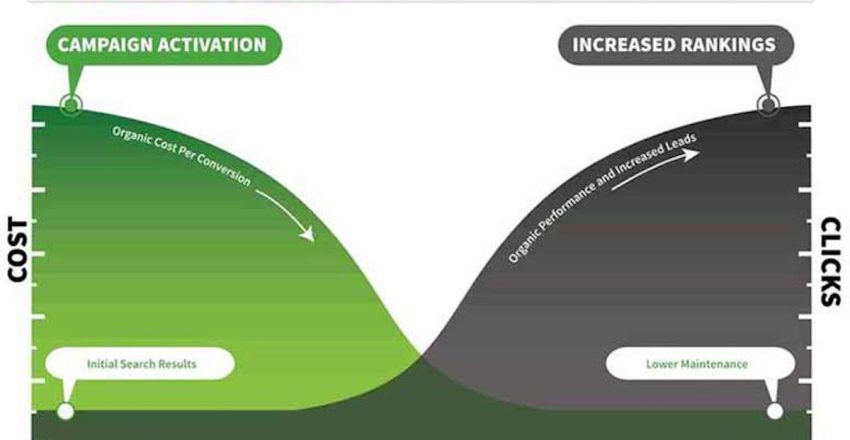
Most SEO work builds gradually. New pages can take weeks to be indexed and longer to rank well, especially in competitive Perth markets. Be cautious of anyone who promises guaranteed rankings or first place on Google.
SLINKY is a Perth digital agency founded in 1998. If you would like a second opinion on your website’s SEO, or help putting these basics in place, get in touch for a chat.